Get started
CubiCasa Integrate API 3.0
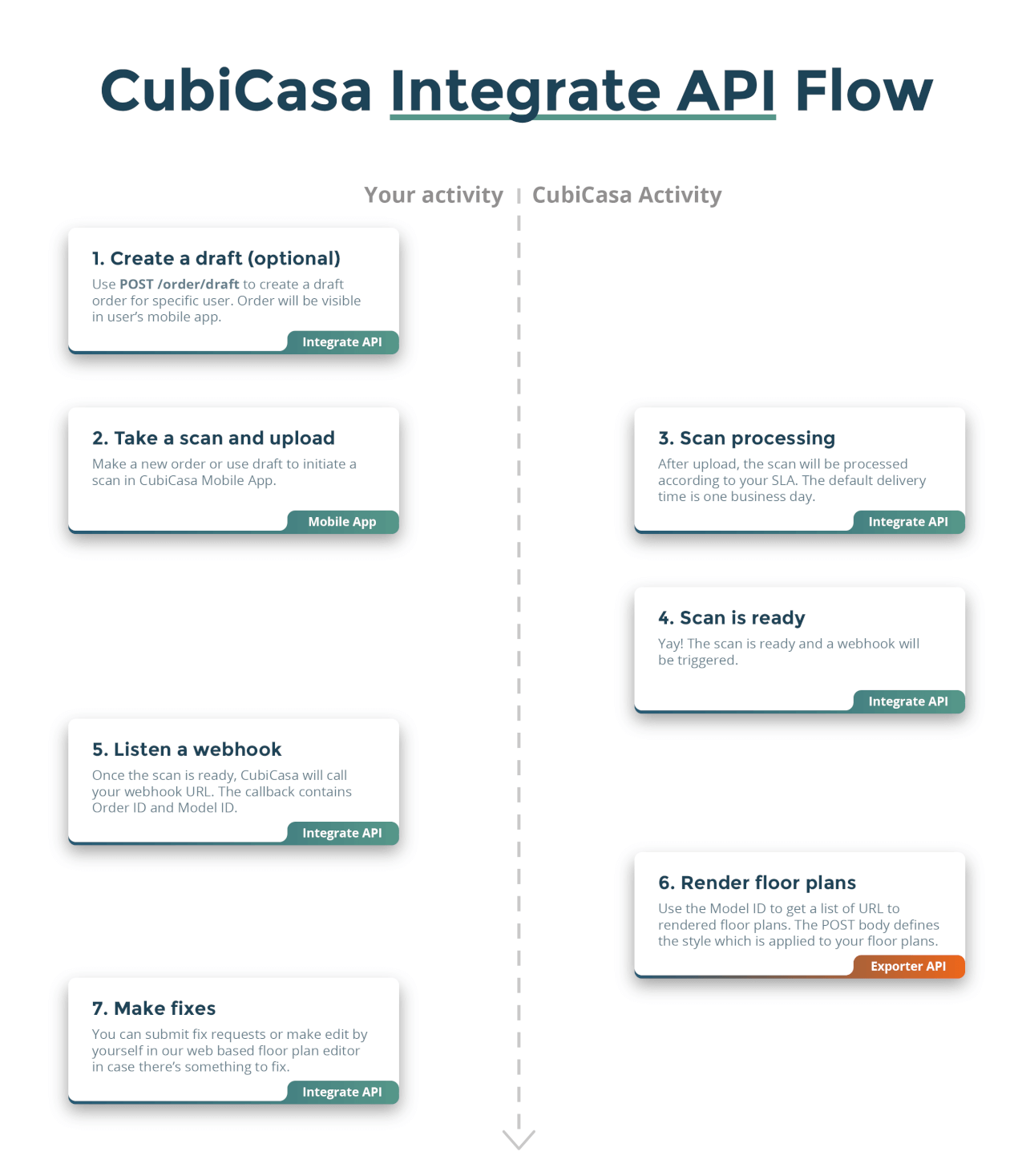
It allows you to continue the use of the familiar CubiCasa mobile app and integrate
your own order management system to CubiCasa. For further customization, Exporter API
enables individual styles for every floor plan and Quick Edit eases the job of your
own help desk. The diagram below represents how the orders flow through the CubiCasa
platform.
Something doesn't work?
progress so unfinished or undocumented features may still exist.
How to get started
your system is ready for production.
Create an API key
Staging environment
API base url: https://qa-customers.cubi.casa/api/integrate/v3
Create a staging account and then visit
your company developer page
to create an API key from the UI. By default, this API documentation refers
to the staging version of the API.
iOS and Android app access for staging environment
environment (most likely you'll need), please contact developer.support@cubicasa.com
and share your Apple ID email or Google Play Store email with us and we'll add you
to Apple's Testflight or Google's testing program.
Production environment
API base url: https://app.cubi.casa/api/integrate/v3
Visit your company developer page
to create an API key from the UI.
to use a real credit card or some other form of payment prearranged with our Sales
team, to access the service. By default, this API documentation refers to the
staging version of the API.
iOS and Android app access for production environment
Google Play Store. You'll need to leave the Android testing program
before you can download the production version. For iOS the App Store
download replaces the TestFlight installation.
Usage
is requested with the user email instead of user ID. All other resources use IDs
for identification.
Error messages
scenarios are returned with a descriptive status code and message that
explains the error.
Modified at 2025-08-11 11:36:03